

What is user-testing in general?
According to Clint Heyer’s presentation on user-testing, you’re testing your prototype with potential users while focusing on usability, understanding not necessarily the situation or material, and really posing the question: “What are you curious about?”
We’re approaching the end of the double triangle now, where developing potential solutions and delivering solutions that work is coming into play, and it’s important to address that your goal should be to gather as much feedback as you possibly can as early as you possibly can. This helps you to identify any design issues before you get to the expensive stage of the process when you reach the final build. It’s too late — and too expensive — to leave user-testing until after you’ve built your product.

He also emphasizes that user-testing is not simply questioning the premise, counting approvals and disapprovals, and collecting opinions.
There are quick and dirty examples for user-testing, that includes:
- Observation
- Video analysis
- Think aloud
- Use & Interview
Let’s focus on observation and using and interviewing, as I believe these are the two of my main strategies of user-testing.
People observe observable interactions when there are available users in authentic settings, it’s a useful way of testing because it’s natural and involves rich settings. However, details get lost easily as setting a scope is necessary. It’s also hard to generalize and is time insensitive. An example for observation would be to devise a scenario and goal, then set the scene for the participant and ask them to reach for the goal. For example, when I was testing the same function of the app I had issues with, I guided the observation by setting the scene, saying “imagine living in Sweden and having many relatives and family abroad, try to quickly find the temperature and weather of condition your home country and also try searching for it if it’s not saved”. Then, I observed how the users interacted with the original app to validate my reasoning for reconstruction.
Use & Interview could also be necessary for user testing because having open-ended discussions grounded in lived experience helps the designer take a more active role and also introduces rich qualitative perspectives. It’s necessary when particular topics need to be probed more deeply but it can also be time consuming and people can struggle to account for action. At the end of each user-test, I always followed up with short interviews and questions wondering why the user interacted with the app a certain way but not the other. Those were insightful and really helped craft an idea for the reconstruction of the app.
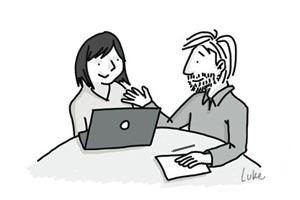
I would definitely try out the “think aloud” strategy in upcoming design processes as I think setting the scene for participants then asking them to reach for the goal by thinking aloud. Pace of talk can match analytical focus and it’s nice to understand people’s reasoning processes.
My plan for usability testing was to simply let the users try out my reconstructed prototype and observe how they interact with it. Then, after observing their initial interaction, I opened up discussion and asked them about how it felt while interacting with the app and what can be improved and so on.
Pre-reconstruction observations, some users have noted while using the app that,
- It is indeed difficult to locate the list of saved locations page
- The location text is way too tiny
- Based on observation, I noticed that the app’s not clear with what icons afford button-press, which resulted in user’s tapping around to discover functions through trial and error
Post-reconstruction, user’s have suggested room for improvement:
- After searching for a location and saving it, instead of it appearing at the very bottom of the list, maybe it’s more convenient if it’s on the top instead, right below the automatically detected location, so it’s easier to locate where it went (because if you have a long list and save a new one, it practically disappears to the very bottom and you have to scroll down to find it)

 Journal with me!